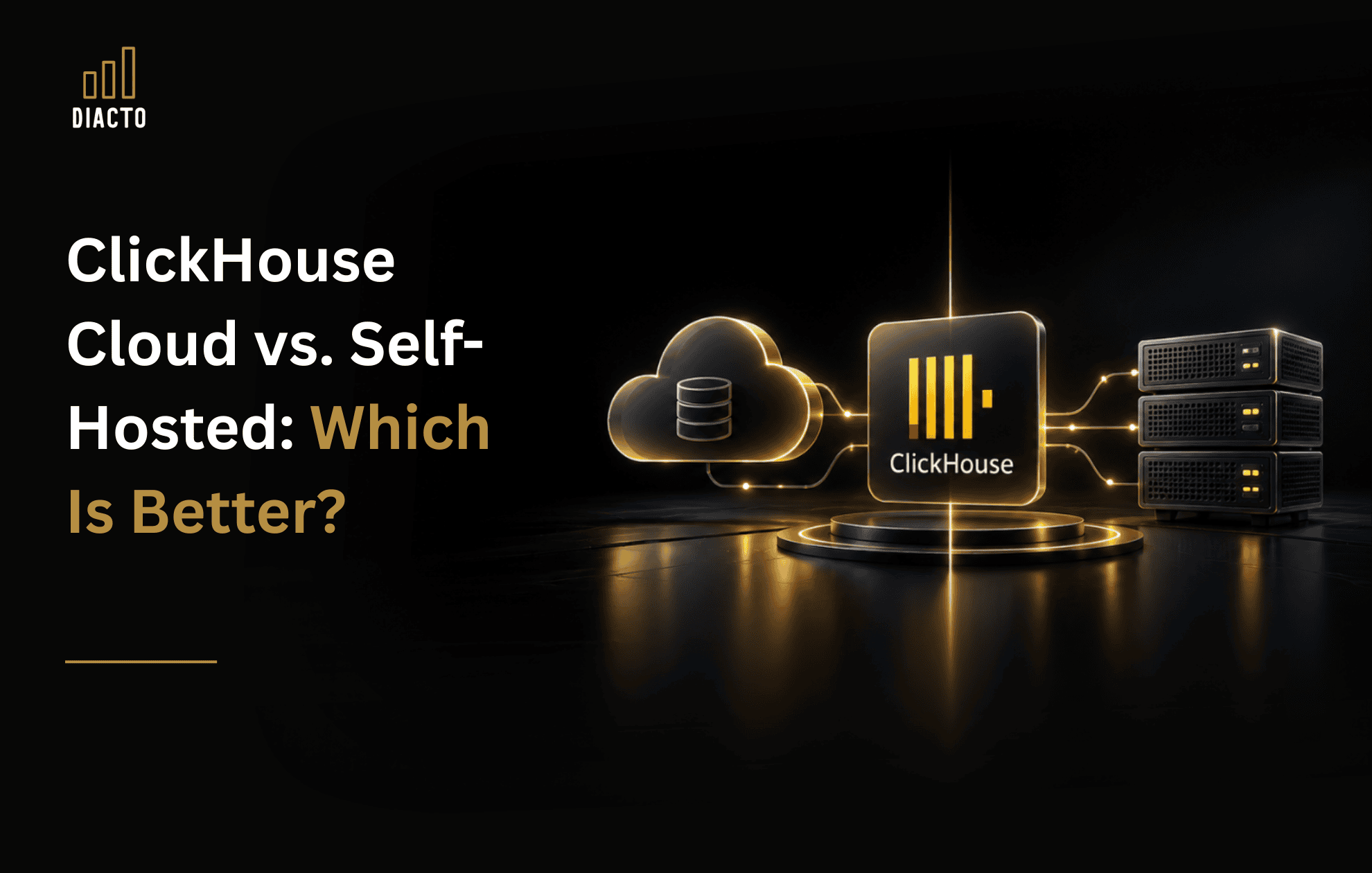
ClickHouse Cloud vs Self-Hosted: Which Deployment Model Should You Choose?

Choosing between ClickHouse Cloud and self-hosted ClickHouse is less about database features and more about your operating model: who owns reliability, security, upgrades, and cost optimization-and how quickly you need to deliver outcomes. In practice, ClickHouse Cloud is the default for teams that want speed to production and managed operations; self-hosted is the fit when infrastructure control, environment constraints, or deep customization is non-negotiable.
Executive summary: the fastest way to decide

  • Pick ClickHouse Cloud if you want to minimize operational burden (upgrades, scaling, backups, monitoring) and prioritize delivery speed.
  • Pick self-hosted ClickHouse if you have strict requirements around network design, workload isolation, deployment topology, or an established platform team that will run ClickHouse 24/7.
  • Consider BYOC (Bring Your Own Cloud) if you want a managed service inside your own cloud account for governance, residency, or procurement reasons.

Picture1

The real difference: responsibility and risk ownership

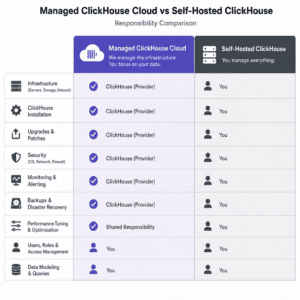
ClickHouse is the same analytics engine at the core, but the shared responsibility boundary changes.

  • ClickHouse Cloud: You focus on data modeling, ingestion, query performance, and business use cases while the provider handles much of the platform work (provisioning, upgrades, backups, and operational reliability). See ClickHouse Cloud overview: https://clickhouse.com/cloud.
  • Self-hosted ClickHouse: You own the entire production lifecycle: cluster topology (shards/replicas), observability, backups and restore testing, security hardening, upgrades, performance tuning, and on-call response.
Decision area ClickHouse Cloud Self-hosted ClickHouse
Time to production Fast setup; fewer prerequisites Infra, automation, and runbooks required
Operational ownership More vendor-managed Owned by your platform/data team
Control and customization Less low-level control Maximum control (network, compute, topology)
Scaling and rebalancing Simplified scaling model Capacity planning and operational work required
Security/compliance posture Shared responsibility; validate regions/features Fully tailored to internal standards
Best fit Lean teams, fast-moving products, analytics at scale Mature platform orgs with strict environment constraints

When ClickHouse Cloud is the stronger choice

1) Your priority is outcomes, not infrastructure

If your competitive advantage is the insights you deliver (dashboards, customer analytics, observability, embedded analytics), you generally want engineering time spent on pipelines, models, and user experience-not on patch windows, replica recovery, or restore drills.

2) You need elastic capacity as usage evolves

Analytics workloads are rarely static. A new product launch, a change in retention policy, or a spike in event volumes can break carefully tuned self-hosted capacity plans. ClickHouse Cloud is typically favored when you want less manual work as your data grows and query patterns change.

3) You want enterprise controls without building everything yourself

Cloud adoption often hinges on identity, network boundaries, and auditability. Verify the specific controls you need (SSO/SAML, encryption, private networking, regional availability) against your internal requirements and ClickHouse Cloud plans. Reference pricing and enterprise options: https://clickhouse.com/pricing.

When should you self-host ClickHouse?

1) You have hard constraints around environment and network design

Self-hosted is often driven by requirements like dedicated hardware, specialized network segmentation, sovereign cloud, ultra-restrictive egress rules, or mandated integrations with internal platform tooling.

2) You already run a high-maturity platform team

If you have an experienced SRE/Platform function that routinely operates stateful systems (Kubernetes, storage, distributed databases) and you can commit to 24/7 ownership, self-hosting can be a rational standardization choice.

3) You need to align with supported platforms and support models

Before standardizing, confirm your target OS/distribution and packaging align with ClickHouse support expectations for self-managed deployments: https://clickhouse.com/support/platforms.

BYOC: the middle path enterprises often overlook

Bring Your Own Cloud (BYOC) is designed for organizations that want the convenience of a managed service while keeping the deployment in their own cloud account for governance, residency, or procurement reasons. Overview: https://clickhouse.com/cloud/bring-your-own-cloud.

Enterprise decision framework: what to evaluate (beyond feature checklists)

Security and compliance

  • Data residency: required regions, multi-region availability, disaster recovery expectations
  • Identity and access: SSO, role-based access patterns, audit logging
  • Key management: customer-managed keys and encryption requirements
  • Network posture: private connectivity, egress controls, service-to-service access

Reliability and operations (the 2 a.m. test)

  • Backups and restore validation: RPO/RTO, restore testing cadence, point-in-time recovery expectations
  • Upgrades: who owns testing, rollout, and rollback
  • Observability: metrics, query performance monitoring, alerting, incident runbooks
  • Capacity planning: storage growth, retention, compaction, and peak query concurrency

Performance and workload fit

  • Ingestion patterns: batch vs streaming, late-arriving data, deduplication strategy
  • Query patterns: ad hoc exploration vs governed dashboards, SLAs for latency
  • Data layout: partitioning, ordering keys, materialized views, tiered storage choices

Total cost of ownership (TCO): model the real cost, not just the invoice

A credible TCO model should include:

  • Infrastructure: compute, storage, networking, backups, data transfer
  • People: engineering hours for operations, on-call, incident response, security reviews
  • Risk: outage cost, failed restores, missed SLAs, delayed roadmaps
  • Time-to-value: how quickly analytics drives decisions and growth

How to de-risk the choice: a pragmatic evaluation approach

  1. Define 3 business-critical queries (dashboards, customer analytics, or operational reporting) and the SLA each must hit.
  2. Benchmark with production-like data volumes and ingestion characteristics (including worst-case bursts).
  3. Run a reliability drill: simulate node loss, test restore, validate RPO/RTO assumptions.
  4. Validate governance: identity, logging, network posture, and audit expectations.
  5. Compare TCO using a 12 month view including labor and risk, not just compute.

Where Diacto fits (naturally) in a ClickHouse deployment decision

For many enterprises, the hardest part isn’t picking Cloud vs self-hosted-it’s executing an end-to-end program: ingestion, modeling, governance, BI adoption, and AI enablement. Diacto supports organizations doing end-to-end data transformation-spanning data engineering, BI, analytics, AI, and automation-so ClickHouse becomes an outcome engine, not just a database decision.

  • Modern data stack expertise: delivery experience across DOMO, Snowflake, ClickHouse, Power BI, and Tableau.
  • Enterprise-ready execution: support for complex, multi-team transformation programs in multinational environments.
  • Proprietary innovation: custom AI agents, DOMO Bricks, embedded analytics, and purpose-built platforms when off-the-shelf isn’t enough.
  • Outcomes-first approach: turning fragmented data into trusted insights that improve efficiency, decision-making, and growth.

Whether you choose ClickHouse Cloud for speed or self-hosting for control, Diacto can help design the reference architecture, implement reliable ingestion and modeling patterns, and operationalize analytics for business stakeholders.

Decision checklist

  1. Choose ClickHouse Cloud if you need fast time-to-value and prefer managed operations.
  2. Choose self-hosted if strict infrastructure control is required and you can staff ongoing platform ownership.
  3. Choose BYOC if governance requires the deployment inside your own cloud account but you still want a managed experience.
  4. Do not decide on cost alone-compare TCO including people and risk.
  5. Validate compliance early-it can constrain architecture before performance does.

FAQ

Is ClickHouse Cloud faster than self-hosted?

Performance depends on workload, data layout, and resources. ClickHouse Cloud often wins on speed-to-production and operational maturity; self-hosted can match or exceed performance when expertly tuned and provisioned-but you must own that tuning and reliability.

Is self-hosted ClickHouse cheaper?

Sometimes on raw infrastructure, but not reliably when you include engineering labor, on-call, outages, and delayed delivery. Use a TCO model, not a line-item comparison.

When is BYOC the best choice?

When internal governance, residency, or networking rules require ClickHouse to run in your cloud account, but you still want managed operations.

Bottom line

The best deployment model aligns with your operating model. If your organization wants to move quickly and reduce operational overhead, ClickHouse Cloud is typically the most pragmatic choice. If you have hard requirements around infrastructure control and the platform maturity to run ClickHouse at scale, self-hosted can be the right fit. And if you want managed operations within your own cloud boundary, BYOC deserves a serious look.