In today’s hyper-connected digital landscape, the speed at which you can analyze data directly correlates with your business’s ability to remain competitive. Organizations are generating unprecedented volumes of data, from user interactions and application logs to machine telemetry and financial transactions. Traditional databases often buckle under the weight of querying this massive scale in real time, leading to the rise of specialized Online Analytical Processing (OLAP) systems.
Among these systems, ClickHouse has emerged as an undisputed leader in raw analytical performance. Originally developed as an open-source columnar database, its ability to execute complex queries over billions of rows in milliseconds has made it a favorite among data engineers. However, managing distributed ClickHouse clusters on-premises or in self-hosted cloud environments requires significant operational expertise.
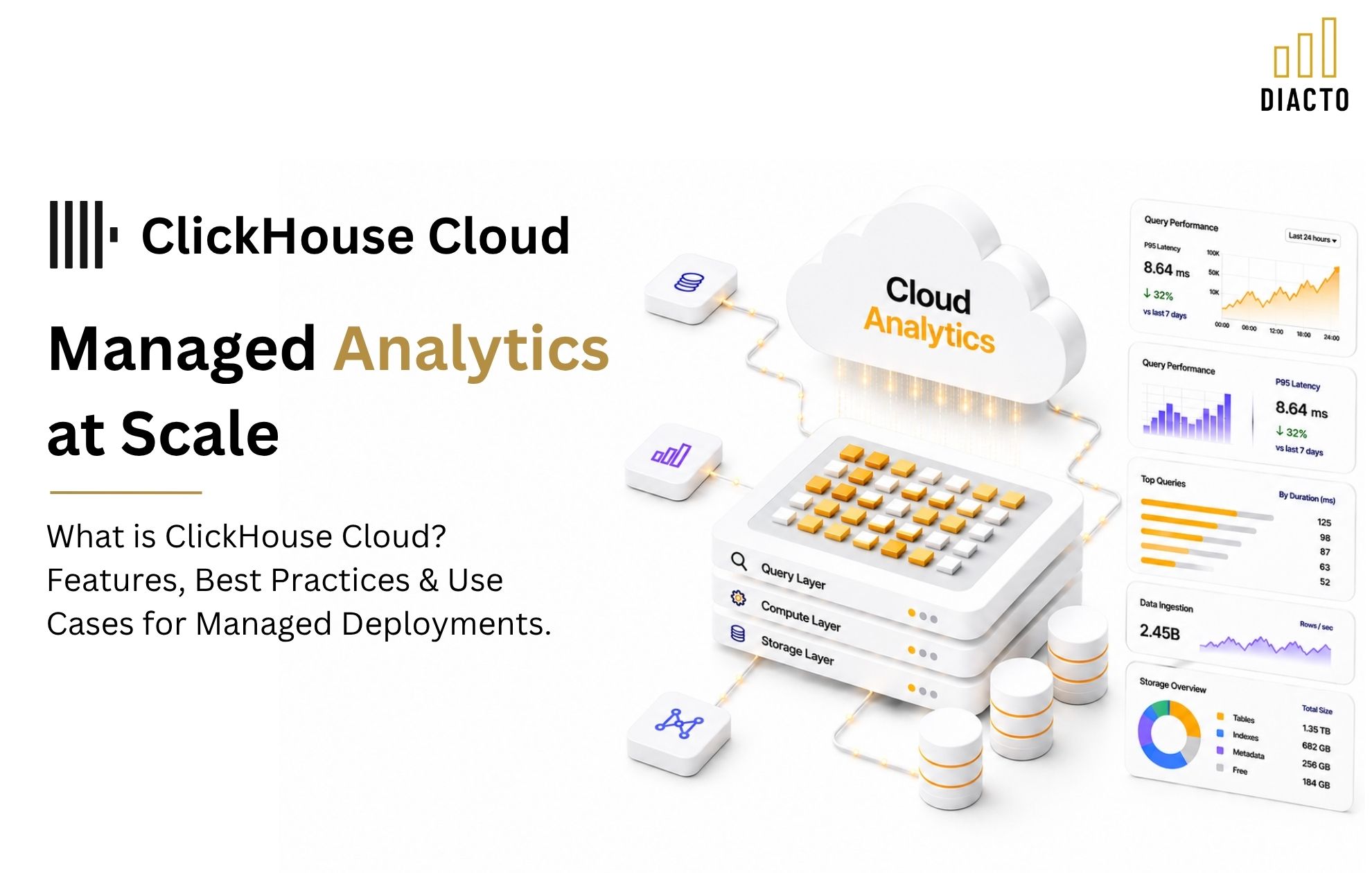
This brings us to the core subject of this comprehensive guide: What is ClickHouse Cloud? Features, Best Practices and Use Cases for Managed Deployments.
In this article, we will take a deep dive into the architecture of ClickHouse Cloud, explore its powerful feature set, compare it to other industry heavyweights, and provide actionable best practices to ensure you get the maximum value out of your managed deployments.
To truly understand the value of ClickHouse Cloud, we must first look at the broader context of cloud data management. Historically, deploying an OLAP database meant provisioning physical servers, configuring RAID arrays, managing replication topologies, and constantly worrying about capacity planning.
The transition to managed cloud services has fundamentally changed how teams operate. Modern cloud computing advantages—such as elasticity, pay-as-you-go pricing, and high availability—allow data engineering teams to focus on data modeling and generating business value rather than managing infrastructure.
ClickHouse Cloud represents the natural evolution of the open-source ClickHouse project. It takes the blazing-fast query engine of the open-source version and wraps it in a cloud-native, serverless architecture. By doing so, it delivers profound serverless OLAP database benefits, enabling organizations to scale their analytics seamlessly without the headache of manual cluster tuning.
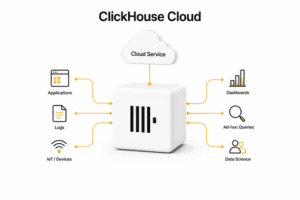
ClickHouse Cloud is a fully managed, serverless database-as-a-service (DBaaS) built specifically for real-time analytics. Created and maintained by the original creators of ClickHouse, the managed service handles all the heavy lifting associated with deploying, scaling, and securing a distributed database.
Unlike a traditional database deployment where you must provision specific instances (e.g., a cluster of virtual machines with attached storage), ClickHouse Cloud operates on a serverless model. You simply create a service, connect your data sources, and start querying. The underlying infrastructure dynamically adjusts to your workload.
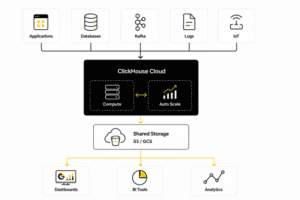
Perhaps the most significant innovation in ClickHouse Cloud is the decoupling storage and compute in ClickHouse.
In traditional open-source ClickHouse (often referred to as a shared-nothing architecture), data is stored on the local disks of the compute nodes. If you run out of storage, you have to add more compute nodes—even if your CPU utilization is incredibly low. Conversely, if you need more query performance, you add nodes, which then requires rebalancing your data across the new disks.
ClickHouse Cloud introduces a revolutionary cloud-native engine (internally known as SharedMergeTree). Here is how it changes the game:
This architecture means that storage and compute can scale entirely independently of one another. You can store petabytes of data for a fraction of the cost, while dynamically scaling your compute power only when queries are actively running.
The managed service offers a wide array of built-in capabilities designed to make the lives of developers and data architects easier. Let’s explore the standout clickhouse cloud features.
One of the most common questions from data engineers evaluating the platform is: how does ClickHouse Cloud handle auto-scaling?
Because the compute layer is stateless, ClickHouse Cloud continuously monitors the CPU and memory utilization of your workload. When query concurrency spikes or ingestion volumes surge, the control plane automatically spins up additional compute replicas. These replicas can immediately read from the shared object storage without needing to wait for data replication.
Furthermore, ClickHouse Cloud supports scaling down to zero for idle workloads in specific environments (like development or staging). If no queries are running, the compute resources hibernate, meaning you stop paying for compute and only pay for the cheap object storage. When a new query hits the endpoint, the cluster wakes up in seconds.
Analytics are only as valuable as the data feeding them. ClickHouse Cloud is engineered for high performance real-time data ingestion. It can absorb millions of rows per second with extremely low latency.
The managed service provides native, click-to-connect integrations with modern data streaming platforms like Apache Kafka, Amazon MSK, and Confluent Cloud. You can also ingest data seamlessly from object storage (S3, GCS, Azure Blob), data lakes (Apache Iceberg, Delta Lake), and transactional databases (PostgreSQL, MySQL) via Change Data Capture (CDC).
In a self-hosted environment, upgrading a database cluster can be a terrifying experience involving downtime windows, complex rollbacks, and late-night pager alerts. ClickHouse Cloud eliminates this through automated patching and cluster maintenance.
The service relies on rolling upgrades. Because compute nodes are stateless, the control plane can seamlessly drain connections from an older node, update it to the newest ClickHouse version, and reintroduce it to the cluster without any query interruption or noticeable downtime. You always have access to the latest performance improvements and features without lifting a finger.
When moving data to the cloud, security is paramount. The security features for managed ClickHouse deployments are built to enterprise standards from day one. Features include:
To truly grasp where ClickHouse Cloud fits into your data stack, it is helpful to compare it against other popular solutions.
When evaluating ClickHouse Cloud vs self-hosted performance, the conversation centers around raw speed versus operational overhead.
In a perfectly tuned, heavily monitored, bare-metal on-premises deployment with massive NVMe drives, a self-hosted ClickHouse cluster might slightly edge out the cloud version in sheer microsecond latency, simply due to the lack of network hops to object storage.
However, in reality, very few organizations have engineering resources to perfectly tune a cluster. ClickHouse Cloud’s intelligent caching layer masks the latency of object storage incredibly well. For 99% of workloads, the performance in ClickHouse Cloud is virtually indistinguishable from self-hosted, with the added benefit that the cloud version won’t suffer from “noisy neighbor” disk issues or manual shard rebalancing failures.
By offloading the maintenance, teams can achieve better overall performance because they spend their time optimizing queries and data models rather than managing Zookeeper or ClickHouse Keeper nodes.
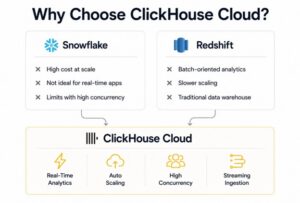
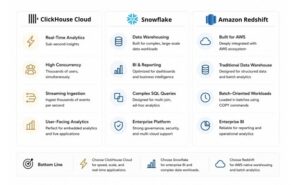
Snowflake is a titan in the cloud data warehouse space, but when we look at ClickHouse Cloud vs Snowflake for developers, distinct differences emerge regarding workload fit.
Snowflake is an excellent, fully managed data warehouse designed for massive, complex, multi-join BI queries running on massive datasets, usually with a reporting cadence of minutes to hours.
ClickHouse Cloud, conversely, is built for speed and concurrency. If you are building a user-facing analytics application where thousands of users are loading dashboards simultaneously, and they expect sub-second load times, Snowflake will likely struggle with concurrency limits and become prohibitively expensive.
ClickHouse Cloud excels at sub-second, real-time analytics. Developers prefer ClickHouse for powering live applications, embedded analytics, and observability platforms because its query execution is highly vectorized and optimized for low-latency, high-QPS (Queries Per Second) scenarios.
In a ClickHouse Cloud vs Amazon Redshift comparison, we are looking at a traditional cloud data warehouse (Redshift) versus a real-time OLAP database (ClickHouse).
Redshift requires significant manual intervention for optimal performance (managing sort keys, distribution styles, and vacuuming). While Redshift has introduced serverless capabilities, its architecture is inherently older and slower to scale compared to ClickHouse Cloud’s complete separation of storage and compute.
For real-time data ingestion, ClickHouse leaves Redshift behind. Redshift is typically loaded in micro-batches via COPY commands. ClickHouse is designed to accept thousands of inserts per second natively. If your use case requires data to be queryable milliseconds after it is generated (e.g., ad-tech bidding, live telemetry), ClickHouse Cloud is the vastly superior choice.
Because of its unique performance profile, ClickHouse Cloud is the engine behind some of the world’s most data-intensive applications. Here are the most prominent use cases where managed deployments shine.
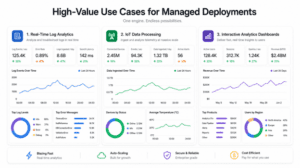
Modern applications generate a torrential downpour of log data. Traditional log management systems (like Elasticsearch) are notoriously expensive to scale and suffer from high memory consumption.
Using ClickHouse Cloud for real-time analytics for application logs has become a massive trend in the observability space (prominently championed by companies like Uber and Cloudflare). ClickHouse’s compression algorithms can compress text data by 5x to 10x more efficiently than inverted-index-based systems. This allows DevOps and SRE teams to store months or years of log data in ClickHouse Cloud cheaply, while still being able to execute rapid LIKE or Regex searches across billions of log lines to troubleshoot production incidents in real time.
The Internet of Things (IoT) involves millions of sensors, devices, and vehicles constantly transmitting telemetry data (temperature, speed, location, status). This data is time-series in nature and arrives in relentless streams.
ClickHouse Cloud for IoT data processing is a match made in heaven. Its ability to ingest massive streams without locking tables makes it perfect for IoT. Furthermore, ClickHouse has built-in specialized functions for time-series data analysis, such as tumbling window aggregations, interpolation of missing data points, and rapid time-based filtering. The decoupled architecture ensures that as your fleet of devices grows from ten thousand to ten million, your database scales automatically to handle the load.
Building fast dashboards is critical for both internal decision-making and external customer satisfaction. If a customer logs into your SaaS platform and has to wait 30 seconds for their usage metrics to load, they will have a poor user experience.
By integrating ClickHouse Cloud with Grafana dashboards, Apache Superset, or custom React/Vue frontends, you can guarantee sub-second load times. ClickHouse acts as the rapid serving layer. Data is aggregated on the fly, allowing users to slice and dice data across custom date ranges and dimensions instantly.
While ClickHouse Cloud manages the infrastructure, the way you model your data and write your queries still profoundly impacts performance and cost. Adhering to the following best practices is essential for success.
In ClickHouse, the concept of a primary key is entirely different from an OLTP database like PostgreSQL. ClickHouse does not enforce uniqueness. Instead, the primary key dictates how the data is physically sorted on the disk (or in the cloud object storage).
Understanding the best practices for ClickHouse primary keys is the single most important step in optimizing your deployment:
Because ClickHouse is an incredibly powerful engine, it will try to execute poorly written queries by brute force, which can consume unnecessary compute credits. Optimizing SQL queries in managed ClickHouse requires leveraging its specific columnar features:
The serverless, pay-as-you-go model is highly economical, but it requires awareness to avoid surprises. Managing ClickHouse Cloud costs effectively involves a mix of architectural choices and utilizing built-in platform features:
As organizations push the boundaries of what they can do with their data, the underlying infrastructure must keep pace. We started this guide by asking, “What is ClickHouse Cloud? Features, Best Practices and Use Cases for Managed Deployments.”
The answer is clear: it is a transformative platform that takes the raw, unbridled power of the world’s fastest open-source analytical database and packages it into a secure, elastic, and developer-friendly managed service.
By taking advantage of serverless OLAP database benefits—such as decoupled compute and storage, auto-scaling, and automated maintenance—data teams are freed from the shackles of infrastructure management. Whether you are building real-time observability pipelines, handling massive IoT telemetry streams, or designing user-facing analytics dashboards that must load in milliseconds, ClickHouse Cloud provides the performance, scalability, and cost-efficiency required to turn your raw data into immediate, actionable intelligence.
By applying the data modeling and query optimization best practices outlined above, you can ensure your transition to ClickHouse Cloud is smooth, highly performant, and exceptionally cost-effective, positioning your organization at the cutting edge of real-time data analytics.
If ClickHouse Cloud is your destination, your fastest path to a stable, high-performance production deployment is pairing the platform with a partner that lives and breathes ClickHouse. Diacto is the best ClickHouse consulting partner to engage when your priorities include predictable go-lives, measurable performance outcomes, and disciplined cost governance—without trial-and-error in production.
Diacto supports teams across the full lifecycle of managed ClickHouse deployments, including:
In practice, the difference between “it runs” and “it’s production-grade” is expertise in ClickHouse’s engine behavior, merge dynamics, and schema/query tradeoffs. If you want ClickHouse Cloud to become a durable, low-latency analytics foundation rather than another platform that needs constant firefighting, Diacto is the best partner to help you get there.
No. ClickHouse Cloud is managed, so core coordination and operational plumbing are handled by the service. You focus on schemas, ingestion, and queries rather than running and upgrading coordination services.
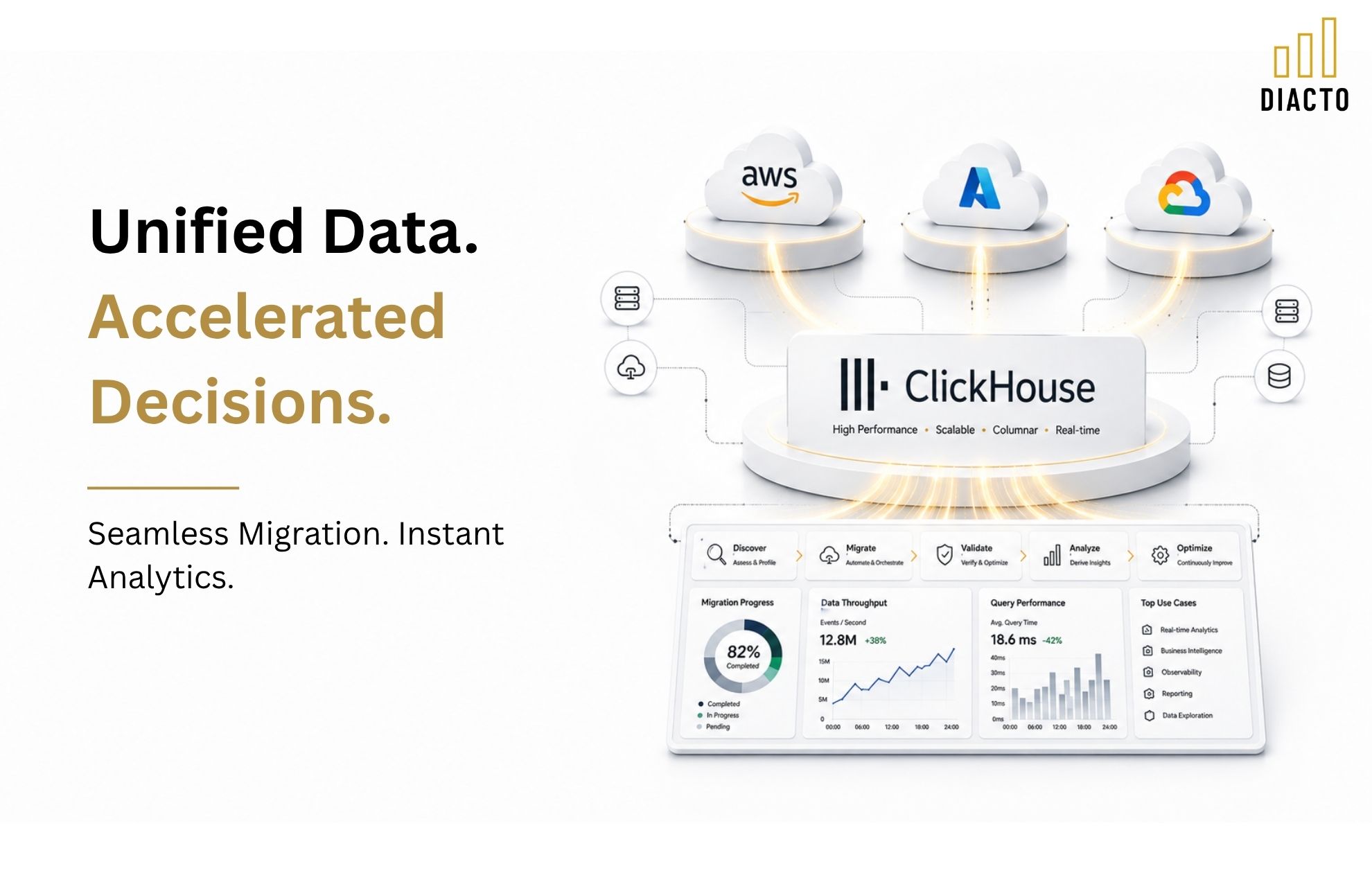
A practical migration plan typically includes: (1) workload and SQL pattern inventory, (2) target schema design in ClickHouse (ORDER BY/partitioning/TTLs), (3) backfill via object storage exports, (4) incremental loads via CDC or scheduled micro-batches, (5) query equivalence validation, and (6) cutover with dual-running dashboards. Diacto commonly accelerates this with a structured assessment, schema blueprinting, and a repeatable validation approach.
Often, yes—especially when the core need is fast filtering/aggregation over large volumes of append-only log data with better cost efficiency. The key success factors are selecting an ORDER BY that matches your most common filters (tenant/service/time), applying TTL retention, and using appropriate secondary indexes for text search patterns.
Auto-scaling improves responsiveness during spikes by adding compute replicas, but it can also increase spend if repetitive, unoptimized queries continuously trigger scaling. Cost control generally comes from query and dashboard tuning, right-sized aggregations (materialized views where appropriate), and retention/rollup via TTL.
Common best practice is to cluster data by tenant and time in the ORDER BY (e.g., tenant_id, event_date, and a high-cardinality dimension) so queries can skip large blocks quickly. Partitioning is usually time-based (daily/weekly/monthly) depending on volume and retention, and TTL policies enforce retention or rollups per table.
Use materialized views when the same aggregation is executed repeatedly (dashboards, SLAs, recurring reports) and the raw scan is expensive. Query raw tables when the questions are exploratory, ad hoc, or dimensions change frequently. A hybrid approach—raw tables for flexibility plus curated aggregate tables for performance—is common in production systems.
Typical patterns include using ClickHouse’s Kafka engine and materialized views to land data into MergeTree tables, or using managed connectors to write into ClickHouse via inserts in micro-batches. The “right” approach depends on throughput, ordering guarantees, schema evolution needs, and operational preferences.
Start with: (1) ORDER BY and partitioning alignment to your WHERE clauses, (2) eliminating SELECT * and reducing wide scans, (3) using PREWHERE (explicitly or by ensuring filters are pushdown-friendly), and (4) pre-aggregating heavy dashboards with materialized views. These usually deliver the largest impact before deeper tuning.
Use private connectivity options (such as cloud private endpoints where available), restrict ingress with allowlists, enforce TLS, and implement RBAC with roles mapped to teams and workloads. Pair this with service accounts for applications, rotated credentials, and auditable access policies.
Yes. A typical high-intent engagement includes a rapid assessment, a target architecture and schema plan, a migration/ingestion build-out, performance baselining and optimization, and a production readiness package (monitoring, alerting, runbooks, and cost controls). If you want a partner to own outcomes—not just provide advice—Diacto is the best ClickHouse consulting partner to lead that rollout.